High frequency DDR5 benefits are changing how buyers evaluate memory for gaming PCs, workstations, and data-center servers. JEDEC’s JESD79-5 standard defines DDR5 starting at 3200 MT/s, while newer modules reach 6000 MT/s and beyond through validated overclocking profiles. That is a meaningful jump from early DDR4 platforms. Higher transfer rates can improve frame-time consistency, scientific simulations, video rendering, and large database workloads. However, faster memory is not automatically faster computing.
TrendForce’s DRAMeXchange research has tracked strong DDR5 adoption across server and PC markets, driven by AI workloads, cloud services, and new processor platforms. IDC reports similar infrastructure pressure, with AI systems demanding greater memory bandwidth and capacity. These reports support the market direction, but they do not guarantee equal gains for every buyer. A budget laptop may show little improvement if its processor, cooling system, or software remains the bottleneck.
Jim Handy, semiconductor analyst at Objective Analysis, offers a useful reminder: “Memory bandwidth matters only when the application can use it.” That principle should guide every purchase. Buyers must compare latency, capacity, motherboard compatibility, power limits, and real benchmark results—not frequency alone. A 7200 MT/s kit may look impressive on a product page, yet unstable settings can create crashes, longer troubleshooting, and disappointing value. Small details matter. The following guide examines ten practical High frequency DDR5 benefits, while also questioning where premium speeds genuinely justify their cost.
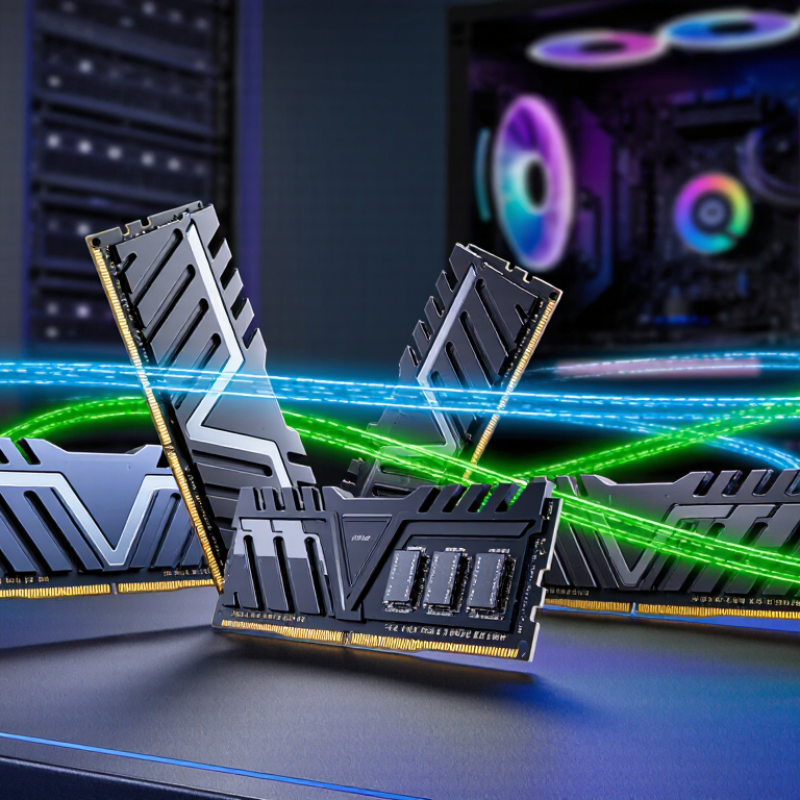
High-frequency DDR5 describes memory modules rated to transfer data at higher speeds than standard baseline configurations. For modern buyers, that can mean quicker movement of data between memory and the processor. The difference matters most when a computer handles large files, memory-heavy creative work, or high-frame-rate gaming. Everyday browsing may feel much the same. That is easy to overlook.
The number on the product label is not the whole story. A processor and motherboard must support the chosen speed, and some systems need a memory profile enabled in firmware settings. Without that step, the memory may run at a lower default rate. Stability matters, too. A computer that occasionally fails to start is a poor trade for a small benchmark gain. Check the system’s specifications before buying, and compare the full kit capacity and timings alongside its rated frequency.
Higher frequency can improve performance, but results vary by workload and system design. In practice, a well-matched kit may offer more value than the fastest available option. For example, someone editing large video projects may benefit from both adequate capacity and faster transfers; a basic office user may notice little change. I would not treat a single benchmark as a promise. Real use can be messier. Buying with compatibility and workload in mind makes the decision more reliable.
| # | Buyer Benefit | What the Specification Means | Practical Buying Consideration |
|---|---|---|---|
| 1 | Higher potential memory bandwidth | DDR5 data rates are commonly listed in MT/s. For example, a 6,000 MT/s module transfers more data per second than a 5,600 MT/s module when both operate at their rated settings. | Check the motherboard and processor specifications; the system may run memory below its advertised rate. |
| 2 | Improved performance in bandwidth-sensitive tasks | Some workloads, including certain integrated-graphics, compression, and scientific tasks, can benefit from increased memory bandwidth. | The size of the gain depends on the workload; higher data rate alone does not guarantee a faster result. |
| 3 | More headroom for integrated graphics | Integrated GPUs use system memory as graphics memory, so available bandwidth can affect graphics performance. | A matched two-module configuration can provide more memory channels to the system than a single module, subject to platform support. |
| 4 | Two 32-bit subchannels per DIMM | A standard non-ECC DDR5 DIMM divides its 64-bit data path into two independent 32-bit subchannels. | This is an architectural feature, not a guarantee that every application will run faster. |
| 5 | Useful options across multiple speed tiers | DDR5 modules are available at a range of data rates, including common examples such as 5,600, 6,000, and 6,400 MT/s. | Compare the module’s supported profile with the system’s validated memory speeds before choosing a tier. |
| 6 | Potentially better responsiveness in memory-limited work | A higher data rate can increase bandwidth, while latency is also affected by timings and the memory controller. | Compare both data rate and timings; a higher MT/s figure does not automatically mean lower latency. |
| 7 | Standard DDR5 operating voltage | Standard DDR5 memory voltage is 1.1 V; some performance profiles specify different operating settings. | Review the module’s specifications and profile requirements rather than assuming every speed uses the same voltage. |
| 8 | On-die error correction | DDR5 includes on-die ECC to correct certain errors inside the memory chips. | On-die ECC is not the same as system-level ECC memory and does not replace platform support for ECC. |
| 9 | More choice for capacity and workload needs | DDR5 modules are offered in different capacities and kit configurations, allowing buyers to balance memory capacity and data rate. | For large projects or multitasking, sufficient capacity can matter more than a small increase in memory speed. |
| 10 | Profile-based setup options | Some DDR5 kits use a memory profile to apply rated speed and timings beyond the system’s default settings. | Profile support varies by motherboard and processor; enabling a profile may be considered memory overclocking and is not guaranteed on every system. |
Note: Memory data rates are stated in MT/s, not MHz. Actual operating speed and performance depend on the processor, motherboard, module configuration, firmware settings, and workload.
It refers to memory rated to transfer data at higher speeds. Everyday browsing may feel much the same.
No. Gains depend on the processor, motherboard, and workload. Large video projects may benefit more than basic office tasks.
Check your motherboard’s supported speeds, processor limits, capacity, and module layout. Check first. A fast kit may run slower than its rated speed.
Some systems need a profile enabled in firmware settings to reach the kit’s rated speed. Otherwise, memory may use a lower default rate.
Compare 32 GB kits for everyday use. Large creative projects or virtual machines may benefit from 64 GB or more.
No. A well-matched kit may offer better value. Stability matters more than a small benchmark gain.
Yes. A 6000 MT/s kit with loose timings may not outperform a slower kit in every task.
No. The fastest listed setting may not be stable on your specific computer. Troubleshooting can happen, and one benchmark is not a promise.
High frequency DDR5 benefits include faster data transfer, smoother multitasking, and improved responsiveness in demanding applications. Higher memory speeds can help modern systems move data more efficiently, supporting tasks such as content creation, gaming, and heavy workloads. DDR5 may also offer power-efficiency advantages and provide room for future upgrades, though the real-world gains depend on the processor, motherboard, software, and the rest of the system.
Choosing a suitable kit involves balancing frequency with capacity, latency, compatibility, and cost. Check the motherboard and processor specifications, and consider how much memory your everyday tasks require before prioritizing speed. A high-frequency kit is most useful when the system can support its rated settings and the workload benefits from faster memory. By comparing these factors together, buyers can select DDR5 that meets their performance needs without paying for speed or capacity they are unlikely to use.

 Kryntel