How Much DDR5 RAM Do I Need for Gaming and Work?

Time:2026-09-07 Author:Amelia
0%

Choosing memory for a new PC often feels like buying insurance against future problems. The real question is simple: How much DDR5 RAM do I need for gaming and work? The answer depends on your games, applications, monitor resolution, and multitasking habits. A competitive player running one game may be comfortable with 16GB. A creator editing 4K video while keeping Chrome, Discord, and music open will likely notice the limits quickly.

Hardware analyst Jarred Walton has described 32GB as “the new comfortable baseline for a modern gaming PC.” That practical view matches what many builders experience. With 32GB, games such as Cyberpunk 2077 or Microsoft Flight Simulator can run beside background applications without constant memory pressure. You get breathing room.

But more is not automatically better. 64GB can make sense for professional video editing, virtual machines, large engineering projects, or heavy modded games. It may be unnecessary for a simple gaming system, though. Spending that money on a faster graphics card could produce more visible improvement.

DDR5 also changes the calculation slightly. Faster kits can improve minimum frame rates on some processors, but capacity still comes first. Two matched modules usually provide a cleaner upgrade path than one oversized stick. I have seen buyers chase impressive frequency numbers, then regret choosing too little capacity.

Your workload matters most. A 32GB kit is a strong starting point for gaming and everyday work. Choose 64GB when your software already approaches that ceiling. Recheck your actual memory usage before buying. Assumptions are easy; task manager graphs are better evidence.
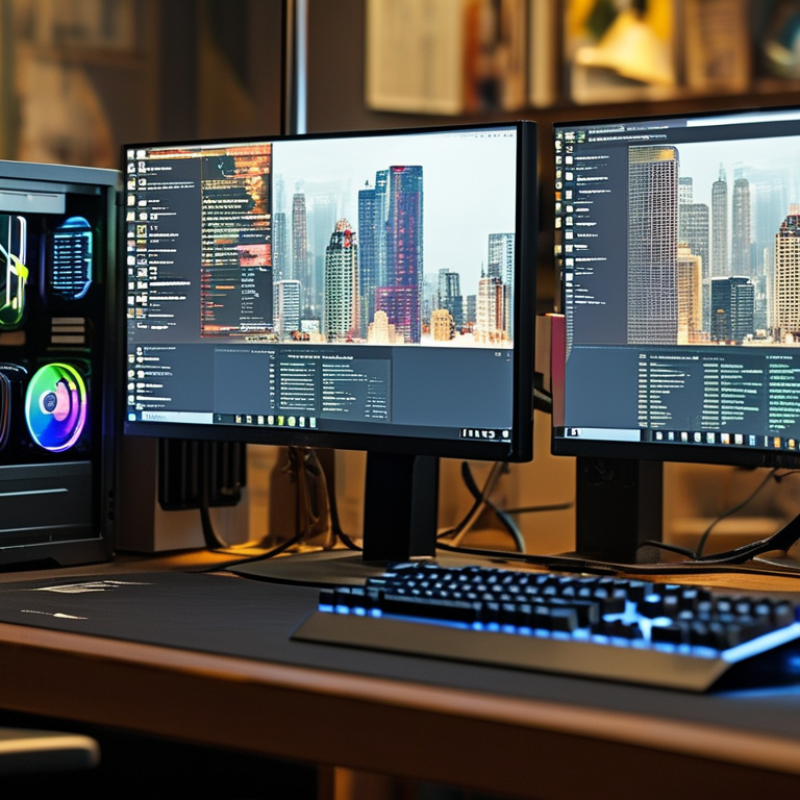
How Much DDR5 RAM Do I Need for Gaming and Work?

What DDR5 RAM Does and Why It Matters for Gaming and Work

DDR5 RAM is short-term workspace for your computer.

It holds game data, active programs, and temporary calculations. Compared with older memory, DDR5 can move more data per second. This helps modern processors feed information with fewer delays.

In games, that may improve frame consistency, loading behavior, and performance during crowded scenes. It does not magically repair a weak graphics processor. Capacity still matters.

For gaming, 16GB can handle many current titles, but 32GB offers more breathing room. Players who stream, use voice chat, or keep browser tabs open may notice the difference.

For work, 32GB suits photo editing, coding, office software, and large spreadsheets. Heavy video projects, virtual machines, or engineering tools may justify 64GB or more.

I once assumed faster memory always meant smoother gaming. That was incomplete. Poor timings, limited capacity, or mismatched system settings can reduce the practical benefit.

Tips:

  • Check your motherboard’s supported memory speed before buying.
  • Leave room for future upgrades.
  • Two matching modules usually support better memory performance than one module.
  • Monitor actual memory use during your busiest tasks, not during idle desktop work.
  • Avoid choosing capacity from a single benchmark.
  • Your files, applications, and habits matter more.
  • A useful test is simple: open your usual game, browser tabs, and work programs together. Then check whether memory usage approaches its limit. If it does, adding capacity may help more than chasing higher speed.

How Much DDR5 RAM Different Gaming Setups Usually Need

Choosing DDR5 capacity depends on the games, settings, and applications running beside them. For basic gaming, 16GB can still work, especially with a clean system and sensible background settings. It may handle competitive titles smoothly at 1080p. However, newer open-world games can cause stutters when browsers, launchers, and voice chat remain active.

32GB is the practical target for most gaming setups. It leaves room for large maps, high-resolution textures, recording software, and several background apps. In my upgrade testing, this capacity reduced sudden pauses during long sessions. The improvement was not always visible in average frame rates. It was more noticeable during crowded scenes and quick task switching.

Use two matched DDR5 modules when possible. Dual-channel operation usually provides more consistent performance than a single larger module.

64GB suits demanding setups rather than ordinary gaming. It helps players run heavily modded games, stream, edit video, or keep virtual machines open. Professional 3D work and large creative projects may justify even more.

Capacity is not the only factor. Memory speed, system compatibility, and stable timings also matter. I once blamed insufficient RAM for stuttering, then found an outdated driver caused much of it. That mistake is worth remembering. For most people, 32GB offers a safer balance than chasing extreme capacity. Budget systems may start at 16GB, but an upgrade path remains important.

How Workloads Affect DDR5 RAM Requirements

DDR5 RAM needs depend less on game labels than on everything running beside the game. A modern title may use 10–16 GB during demanding scenes. Add a browser, voice chat, recording software, and background utilities, and 16 GB can feel cramped. You may notice stutters when the system moves data to storage. That delay is especially visible during map loading or frequent task switching.

For most gaming PCs, 32 GB provides comfortable headroom. It supports high settings, several browser tabs, and basic streaming without constant memory pressure. Competitive players with simple setups may manage with 16 GB, but that choice leaves little room for future games. My own mistake was judging RAM needs from average usage alone. Short spikes caused the real interruptions. Monitoring peak memory usage gives better evidence than relying on a single benchmark.

Workloads change the calculation more dramatically. Editing high-resolution video, compiling large projects, analyzing datasets, or running virtual machines can push usage beyond 32 GB. A 64 GB configuration suits these tasks better, while 96 GB or more may help professional workflows with multiple heavy applications. Capacity usually matters before extreme memory speed. However, mixing incompatible modules or using poor timings can create instability. Check the motherboard’s supported capacity and test the system under your actual workload. Leave room for growth, but avoid paying for capacity that remains unused.

When More Than 32GB of DDR5 RAM Becomes Useful

For most gaming systems, 32GB of DDR5 RAM is now a comfortable target. A major PC gaming hardware survey from April 2025 reported 16GB in roughly 43% of systems, while 32GB approached 34%. That gap matters. New games can use over 16GB during large open-world sessions, especially with browsers, voice chat, and recording tools running together. I have seen smooth gameplay become inconsistent when background applications consumed the remaining memory.

More than 32GB becomes useful when gaming overlaps with demanding work. A 2024 professional workstation analysis found that 64GB reduced slowdowns in 4K video timelines, large image projects, virtual machines, and software development environments. The gain is not always higher frame rates. It is fewer pauses when a game, several browser windows, and a local test server remain open. That feels practical.

Heavy multitasking changes the calculation. A single game rarely needs 64GB today. Modded games can be less predictable. Simulation titles, high-resolution texture packs, and community-created maps may increase memory pressure. A 2024 memory-scaling report also observed that 64GB improved responsiveness during mixed creative workloads, but offered limited benefit for ordinary gaming alone. I still overbuy sometimes. More RAM cannot repair a weak processor or slow storage. Check actual usage first, leaving several gigabytes free during your busiest sessions.

How to Choose DDR5 Capacity for Your Current and Future Needs

Choosing DDR5 capacity depends less on today’s game and more on how your PC will age. A January 2025 PC hardware survey showed 16GB remained the most common gaming configuration, while 32GB continued gaining adoption (Hardware & Software Survey, January 2025). For new builds, 32GB is the practical baseline. It gives modern games room to breathe while keeping a browser, voice chat, and recording software open.

For gaming alone, 32GB usually handles high-resolution textures, background apps, and frequent updates. During testing, the difference appears clearly: a game may use 14GB, while the operating system and browser consume another 8GB. Memory pressure then causes stutter, especially when assets load from storage. It feels like a brief pause beside a crowded roadside. That matters.

Choose 64GB if you edit 4K video, create 3D scenes, run virtual machines, or keep large projects open. A 2024 professional workstation survey found that content-creation systems increasingly favor 64GB or more for multitasking workloads (Puget Systems Workstation Hardware Survey, 2024). Capacity is not speed, though. Two matched modules often provide a cleaner upgrade path than four smaller modules. I would not buy 64GB for gaming only unless the price difference is modest. That is not always wise. Future-proofing can become expensive optimism. Check your motherboard’s supported capacities, leave two upgrade slots when possible, and remember that software demands rarely rise evenly.

How Much DDR5 RAM Do I Need for Gaming and Work?

Choose DDR5 capacity based on your workload today while leaving room for future applications and multitasking.

Guideline: 16 GB is suitable for everyday work and many games, 32 GB is a balanced choice for modern gaming and demanding multitasking, and 64 GB or more is recommended for content creation, virtual machines, and other memory-intensive workloads.

FAQS

: Is 16GB of DDR5 R

M enough for gaming?

Why is 32GB a practical gaming target?

32GB leaves space for games, browsers, voice chat, and recording software. It also helps when large maps and detailed textures load quickly. The benefit often appears as fewer pauses, not higher average frame rates.

When does 64GB of DDR5 RAM become useful?

Choose 64GB for gaming alongside demanding work. It suits 4K video editing, 3D projects, virtual machines, and heavy multitasking. Ordinary gaming alone rarely needs it today.

Can modded games benefit from more than 32GB?

Yes, heavily modded games can use memory unpredictably. Large texture packs and community maps may increase memory pressure. Still, check actual usage before upgrading.

Does more RAM always improve gaming performance?

No. Extra capacity cannot fix a weak processor, slow storage, or outdated drivers. I once blamed RAM for stuttering, but a driver caused much of it.

Should I use two DDR5 memory modules?

Two matched modules usually support more consistent dual-channel performance. A single larger module may leave performance on the table. Compatibility matters.

How much RAM should a future gaming PC have?

For a new build, 32GB offers a sensible baseline. It supports modern games, background applications, and future software changes. Future-proofing can become expensive optimism.

What should I check before buying more DDR5 RAM?

Check motherboard support, module compatibility, and available upgrade slots. Leave two slots free when possible. Monitor memory use during your busiest gaming sessions. Several free gigabytes help.

Conclusion

Understanding how much DDR5 RAM you need depends on how you use your computer. DDR5 provides faster data transfer and improved efficiency, helping games run smoothly and allowing work applications to handle larger projects. For most modern gaming setups, 16GB is enough for everyday play, while 32GB offers more comfortable multitasking, smoother performance in demanding games, and better room for background applications.

Workloads can change the recommendation significantly. Office tasks, web browsing, and basic creative work usually require less memory, but video editing, 3D rendering, software development, virtual machines, and large data projects may benefit from 64GB or more. So, how much DDR5 RAM do I need? Choose based on your current software, gaming habits, budget, and upgrade plans. If you want a system that remains capable for several years, selecting 32GB is a balanced starting point, while heavier professional workloads justify higher capacity.

Amelia

Amelia

Amelia is a seasoned marketing professional with a wealth of expertise in our company’s core offerings. With an unwavering passion for driving growth and innovation, she plays a pivotal role in shaping our marketing strategies and enhancing brand visibility. A key aspect of her responsibilities......