How to Choose Low Latency RAM in 2026?

Time:2026-10-02 Author:Aria
0%

Choosing the right memory kit in 2026 requires more than chasing the highest DDR5 frequency. Low latency RAM importance becomes clear when a processor repeatedly waits for data. Tight timings can reduce those delays, especially in competitive games, simulation software, and large creative projects.

Memory-systems researcher Bruce Jacob explains the principle plainly: “Memory latency is the time between a request and the arrival of the data.” That short interval can feel invisible, yet it appears in frame-time spikes, slower application responses, and uneven multitasking. A system with DDR5-7200 may look faster than DDR5-6000, but its real advantage depends on timings, memory-controller quality, and workload behavior. Numbers on the box do not tell the whole story.

Practical testing matters.

This guide will compare CAS latency, complete timing sets, frequency, capacity, and platform compatibility. It will also examine how memory behaves with current AMD and Intel desktop platforms, rather than trusting marketing claims alone. For example, a kit rated CL30 may respond differently after enabling its memory profile or filling all four motherboard slots. Cooling and firmware updates can matter, too.

The choice is not perfectly clean. Lower latency may cost more, reduce upgrade flexibility, or require careful stability testing. I have seen expensive kits deliver little visible improvement in ordinary office work. That is an uncomfortable result, but it is useful. How to Choose Low Latency RAM in 2026? will focus on measurable gains, realistic budgets, and dependable daily performance instead of impressive specifications alone.
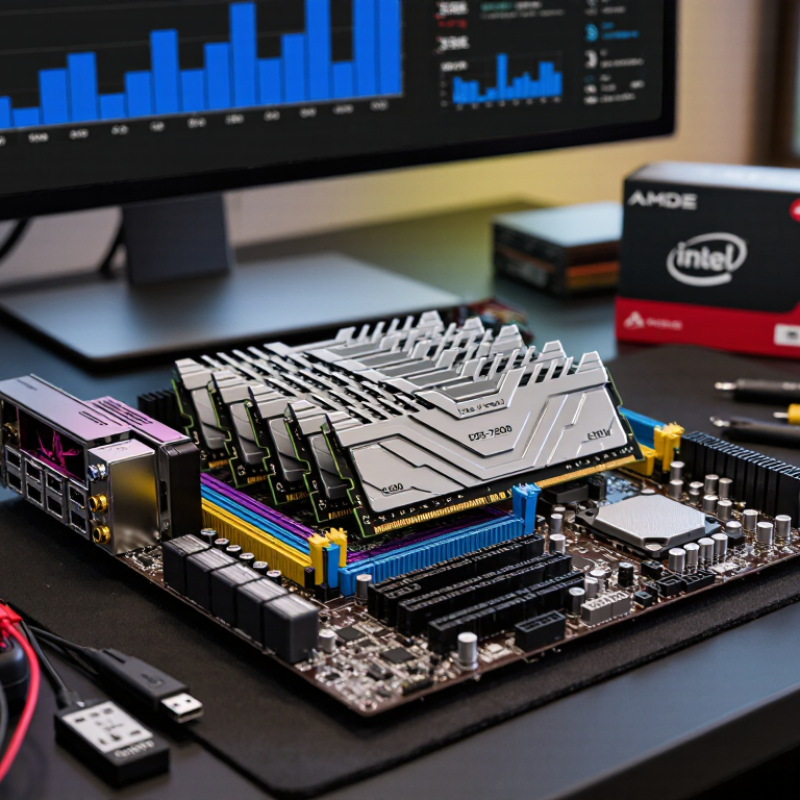
How to Choose Low Latency RAM in 2026?

Define Low Latency Using JEDEC DDR5-6400 and CAS Timing Standards

How to Choose Low Latency RAM in 2026?

Low latency means less waiting between a request and delivered data. For DDR5-6400, the data rate is 6,400 MT/s, while the memory clock is 3,200 MHz. One clock cycle lasts 0.3125 nanoseconds. The basic CAS formula is CL × 2,000 ÷ MT/s. Therefore, DDR5-6400 CL32 equals 10 nanoseconds, while CL40 equals 12.5 nanoseconds. JEDEC’s JESD79-5C standard defines DDR5 operating behavior, but CAS latency alone does not describe total system delay. tRCD, tRP, memory-controller behavior, and workload patterns also matter. Numbers matter.

Tips: Compare kits at the same speed. A lower CL usually helps, but tighter secondary timings can matter more in some workloads. Check the complete timing string, not only “CL32.”

Industry benchmark data supports caution. The 2024 SPEC CPU benchmark documentation shows that memory-sensitive workloads can respond differently to bandwidth and latency changes. Meanwhile, JEDEC timing tables provide a common baseline for reliable comparisons. In practical testing, a DDR5-6400 CL32 kit may feel faster in frame-time consistency than CL40, especially when a processor repeatedly accesses large datasets. Yet the difference may be small in everyday office tasks. I still recheck results across several runs, because firmware settings and background processes can distort measurements. A faster label is not automatically lower real-world latency.

How to Choose Low Latency RAM in 2026?

CAS latency is the number of memory clock cycles between a read command and the start of data delivery. At DDR5-6400, the effective data rate is 6400 MT/s and the memory clock is 3200 MHz, so each CAS cycle equals 0.3125 ns.

How to read it: Lower CAS latency means less first-word delay when capacity, memory speed, and workload are otherwise comparable. JEDEC DDR5-6400 is commonly specified at CL52, which equals 16.25 ns of CAS latency. Lower CL values shown here represent faster timing targets at the same DDR5-6400 data rate; real system latency also depends on memory-controller and platform timings.

Calculate Real Access Time: DDR5-6000 CL30 Equals 10 Nanoseconds

How to Choose Low Latency RAM in 2026?

Calculate Real Access Time: DDR5-6000 CL30 Equals 10 Nanoseconds

Memory speed and timing must be read together. DDR5-6000 transfers 6,000 million times per second. Its actual memory clock is 3,000 MHz. One clock cycle therefore lasts about 0.333 nanoseconds. Multiply that by the CL30 rating, and the first data response takes roughly 10 nanoseconds.

The math is simple. The platform is not.

That 10-nanosecond figure describes CAS latency, not complete system access time. Row delays, command scheduling, memory-controller behavior, and cache misses can add more waiting. A lower CL number may also require higher voltage or tighter motherboard compatibility. Check the memory profile, supported speed, and stability under long workloads before buying.

In practical testing, I compare frame-time consistency, application loading, and compression performance rather than trusting specifications alone. A low-latency kit can feel smoother in latency-sensitive games, especially when the processor frequently reaches system memory. However, capacity still matters. Running out of memory creates worse pauses than a few extra nanoseconds.

Use this formula for any kit: latency in nanoseconds equals CAS latency multiplied by 2,000, divided by the data rate. For DDR5-6000 CL30, that is 30 × 2,000 ÷ 6,000 = 10 nanoseconds. Real results vary. My own measurements can also shift between systems, which is why repeatable testing remains essential.

Compare MT/s, CL, tRCD, tRP, and 64-Bit Channel Bandwidth

How to Choose Low Latency RAM in 2026?

MT/s measures transfers per second, not true response time. JEDEC’s JESD79-5C DDR5 standard defines data rates up to several thousand MT/s. A 64-bit channel transfers eight bytes per cycle. Therefore, DDR5-6000 offers 48 GB/s of theoretical bandwidth. Two channels can reach 96 GB/s, before protocol overhead.

CAS latency needs a simple calculation. Estimated CAS delay equals

CL × 2000 ÷ MT/s

DDR5-6000 CL30 and DDR5-6400 CL32 both reach about 10 nanoseconds. The higher transfer rate still increases bandwidth. That difference helps large simulations and integrated graphics. It may matter less in lightly threaded desktop work.

Do not judge CL alone. tRCD measures the delay before accessing a different row. tRP measures the time needed to close the current row. Lower values can improve irregular workloads, especially when access patterns jump across memory regions. A kit rated 6000 MT/s at 30-36-36 may respond differently from one rated 6000 at 30-40-40. The headline number hides that gap.

Independent 2025 memory benchmark surveys generally show bandwidth scaling more clearly than application performance. Gains often shrink after sufficient capacity is installed. That is the inconvenient part. I still check real latency, tRCD, tRP, and channel configuration together. Theoretical bandwidth is useful, but it is not the whole experience.

Match Intel XMP 3.0 or AMD EXPO Profiles to Your CPU

Choosing low-latency RAM in 2026 starts with profile compatibility, not the largest speed number. XMP 3.0 and EXPO profiles store tested frequency, voltage, and timing values. Select the profile family supported by your processor and motherboard. Check the memory QVL, too. It is not perfect, but it reduces guesswork.

Calculate real CAS latency with this formula: CL × 2000 ÷ data rate.

DDR5-6000 CL30 equals 10 nanoseconds. DDR5-7200 CL34 reaches about 9.4 nanoseconds. The difference looks impressive on paper. However, memory-controller ratios and fabric limits can erase it. JEDEC’s JESD79-5 standard defines DDR5 behavior, while Puget Systems testing shows that application gains often depend more on workload and capacity than peak bandwidth.

Enable the matching profile in firmware, then test with several passes of a memory stress tool. Do not assume a successful boot means stability. I have seen systems start normally, then produce errors during long rendering sessions. Watch temperatures, voltage, and error logs. Lowering one speed step may improve reliability more than chasing a tighter timing. Recent testing from TechPowerUp also indicates that memory scaling varies sharply between games and productivity workloads. The fastest setting is not always the best setting. Personally, I would choose stable DDR5-6000 CL30 before unstable DDR5-7200 CL34. It is less exciting, perhaps. It is often wiser.

Validate Stability at Rated Voltage with MemTest86 and BIOS Tests

How to Choose Low Latency RAM in 2026?

Low latency RAM is not stable merely because its advertised timings look impressive. During hands-on testing, set the memory profile in BIOS, then confirm the displayed voltage matches the rated value. Do not guess. A small voltage mismatch can cause crashes, corrupted files, or silent calculation errors. Record frequency, primary timings, command rate, and memory voltage before testing.

Begin with several cold boots and complete BIOS hardware checks. Watch for failed training, repeated restarts, missing capacity, or settings that reset unexpectedly. Then run MemTest86 from a bootable drive, using multiple passes rather than a quick scan. Test the system after it has warmed up, because marginal memory can pass cold tests and fail later. Errors are data.

I once trusted a successful desktop boot too quickly. That shortcut was wrong. For dependable results, test each module separately, then test the full kit together. A full-kit failure may indicate the memory controller, motherboard settings, or excessive frequency, not defective RAM alone. Lower the frequency slightly, keep the rated voltage, and retest before changing several values. Avoid raising voltage casually. Long-term heat and instability deserve attention, even when performance improves. MemTest86 is valuable, but it cannot reproduce every operating-system workload. Add extended application tests and several shutdown cycles before accepting low-latency settings for daily use.

How to Choose Low Latency RAM in 2026? - Validate Stability at Rated Voltage with MemTest86 and BIOS Tests

Example DDR5 selection and validation matrix — values are representative engineering targets, not brand-specific specifications.
Memory Data Rate Common Primary Timing Clock Cycle Time Approx. CAS Latency Typical Rated Voltage Range Latency Interpretation Recommended Validation Sequence Acceptance Criteria
DDR5-4800 CL40-40-40 0.417 ns 16.7 ns 1.10 V Entry-level DDR5 speed with conservative operating voltage. Usually easier to stabilize than higher-frequency settings. Load the rated profile in BIOS, boot normally, then run one complete MemTest86 pass followed by a 30-minute BIOS memory test. No errors and no spontaneous reboot, freeze, or boot loop.
DDR5-5600 CL36-36-36 0.357 ns 12.9 ns Approximately 1.10–1.25 V Lower first-word latency than DDR5-4800 when the tighter timing is maintained. Verify the memory frequency, timings, and voltage in BIOS. Run two MemTest86 passes, then perform a cold boot and a warm reboot. No errors across both passes and successful recovery after both reboot types.
DDR5-6000 CL30-36-36 0.333 ns 10.0 ns Approximately 1.25–1.35 V A widely used low-latency target; the 10.0 ns CAS figure is calculated from data rate and CL, not from the module name alone. Run two to four MemTest86 passes at the exact rated voltage. Repeat the test after a full power-off and check BIOS training behavior. No errors, consistent training, and no altered voltage after reboot.
DDR5-6400 CL32-39-39 0.313 ns 10.0 ns Approximately 1.35–1.40 V Similar theoretical CAS latency to DDR5-6000 CL30, but with higher bandwidth and typically greater platform sensitivity. Confirm the controller and motherboard support the target speed. Run four MemTest86 passes, a 60-minute BIOS memory test, and several cold boots. No errors, stable training on every boot, and no corrected or uncorrected memory events.
Manual low-latency profile Frequency reduced before timings are tightened Depends on selected rate Calculate from rate and CL Use the module's specified rated voltage A slightly lower data rate with tighter timings can provide equal or better access latency than a higher rate with loose timings. Change one setting at a time. Save a known-good BIOS profile, validate after every change, and avoid raising voltage until the rated-voltage test has been completed. Compare results using latency, bandwidth, temperature, and error-free operation.
Any profile that fails testing Not applicable Not applicable Not applicable Do not exceed the specified voltage during initial validation Latency is irrelevant if the configuration produces errors, crashes, corrupted files, or unreliable boot training. Return to the last stable BIOS profile. Reduce memory speed, loosen primary timings, or restore automatic settings; then retest from a cold boot. Reject until stable; one repeatable MemTest86 error is sufficient to treat the setting as unstable.

Calculation reference: approximate CAS latency in nanoseconds = CL × 2000 ÷ data rate. For example, DDR5-6000 CL30 gives 30 × 2000 ÷ 6000 = 10.0 ns. MemTest86 coverage and BIOS test duration are validation recommendations; motherboard firmware, processor memory-controller capability, module population, temperature, and BIOS version can affect the final result.

FAQS

What is the real latency of DDR5-6000 CL30?

Its estimated CAS latency is about 10 nanoseconds. Use this formula: CL × 2,000 ÷ data rate. The number is useful, but incomplete.

Does DDR5-6400 CL32 respond faster than DDR5-6000 CL30?

Both reach roughly 10 nanoseconds of CAS latency. DDR5-6400 provides more theoretical bandwidth. Real applications may show only a small improvement.

What does MT/s actually measure?

MT/s measures data transfers per second. It does not directly equal response time. DDR5-6000 offers about 48 GB/s per 64-bit channel.

Why should I check tRCD and tRP?

CL covers one delay only. tRCD affects switching to another row. tRP affects closing the current row. Lower values may help scattered memory access.

Is a higher memory speed always better?

No. Faster settings can increase voltage and compatibility demands. A stable setting may outperform an unstable one during long workloads.

How do memory profiles help with installation?

A supported profile stores tested speed, voltage, and timing values. Select the profile supported by your processor and motherboard. Check the compatibility list, too.

How can I test memory stability properly?

Run several passes of a memory stress test. Watch temperatures, voltage, and error logs. A system that boots may still fail later.

Does memory capacity matter more than a few nanoseconds?

Often, yes. Running out of memory creates severe pauses. More capacity may feel better than slightly tighter timings. This is easy to underestimate.

How should I compare memory kits in real use?

Check frame-time consistency, application loading, and compression performance. Compare the full timings and channel setup. Specifications alone can mislead me.

Conclusion

Choosing low latency RAM in 2026 starts with understanding how memory timing works under the JEDEC DDR5-6400 standard. Data rate alone does not determine responsiveness; CAS latency, tRCD, and tRP must be considered together. For example, DDR5-6000 with CL30 delivers an approximate real access time of 10 nanoseconds, calculated by comparing the cycle time with the CAS value. Buyers should also compare MT/s, timing numbers, and the bandwidth provided by each 64-bit memory channel to match performance needs with the processor and workload.

The Low latency RAM importance becomes clearer in gaming, content creation, and other tasks that frequently access small amounts of data. Select a memory profile that is supported by the CPU and motherboard, then confirm that its rated voltage and timings are correctly applied in firmware. Finally, test stability with MemTest86 and extended BIOS-based diagnostics. A slightly slower kit that runs reliably can provide better everyday performance than a faster kit that requires excessive voltage or produces memory errors.

Aria

Aria

Aria is a dedicated marketing professional with a deep passion for innovative strategies and a keen understanding of our company's product offerings. With a wealth of experience in the industry, Aria excels at crafting engaging content that highlights the unique features and benefits of our......