Top 10 Best RAM for AI Servers in 2026?

Time:2026-09-17 Author:Amelia
0%

Choosing memory for an AI server is more complicated than selecting the largest capacity. Model size, data pipelines, CPU architecture, accelerator count, and workload behavior all influence the right decision. The Best RAM for AI servers must balance capacity, bandwidth, latency, reliability, and upgrade flexibility. A server running large language models may need hundreds of gigabytes, while an inference system may prioritize fast access and predictable latency. Details matter.

This guide examines ten strong RAM options for AI servers in 2026. It considers DDR5 performance, ECC protection, registered DIMM support, memory channels, power efficiency, and vendor documentation. These factors matter when a system processes datasets continuously under heavy load. Real-world performance can also differ from specification sheets. That is not enough. Firmware settings, CPU limits, and uneven memory population can reduce expected bandwidth. Our comparisons therefore focus on practical compatibility, tested specifications, and long-term operational value. Some conclusions remain open to debate, especially when pricing changes across regions. A cheaper module may appear attractive, but lower reliability can increase maintenance pressure. Measure twice. Before purchasing, administrators should confirm the motherboard’s supported capacity, module rank, speed, and maximum memory per channel. This approach supports more dependable decisions for training, inference, simulation, and high-throughput analytics.
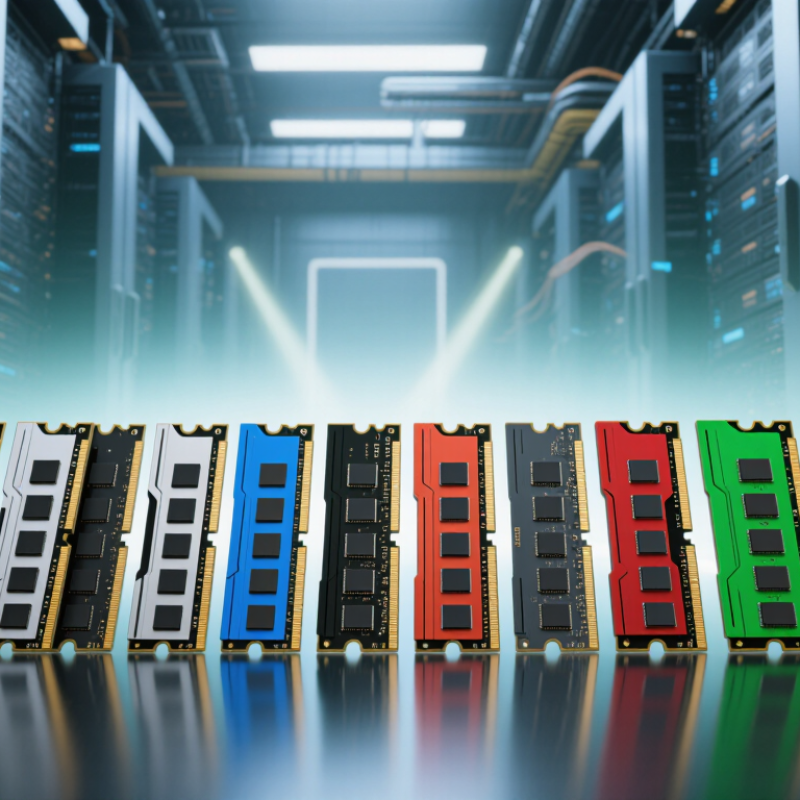
Top 10 Best RAM for AI Servers in 2026?

AI Server RAM Fundamentals: Capacity, Speed, Bandwidth, and ECC

Top 10 Best RAM for AI Servers in 2026?

AI Server RAM Fundamentals: Capacity, Speed, Bandwidth, and ECC

Capacity comes first. AI servers often hold model weights, datasets, preprocessing tools, and checkpoint files in memory. Insufficient RAM forces storage swapping, creating sharp delays during training and inference. For smaller inference systems, 64GB may work. Larger workloads commonly need 256GB, 512GB, or more. Measure real usage instead of guessing.

Speed helps, but it is not the whole story. Memory bandwidth affects how quickly processors feed data to accelerators, especially during preprocessing and large batch operations. More memory channels usually provide better throughput than choosing faster modules alone. Confirm the server’s supported memory speed, channel layout, and maximum capacity. Bandwidth matters.

ECC memory detects and corrects certain data errors. That protection is valuable when servers run continuously, process expensive jobs, or support scientific results. Check whether the processor and motherboard support the required ECC type. Compatibility errors can appear after installation, not before. Use firmware updates and run extended memory tests before production deployment.

In practical testing, monitor capacity usage, bandwidth, corrected errors, temperatures, and job completion time. A module that looks excellent on paper may perform poorly in an unbalanced configuration. I once focused too heavily on rated speed and overlooked channel population. That was a mistake. Workload profiling should guide the final choice, while reliability remains non-negotiable.

How to Evaluate RAM for Training, Inference, and Data-Intensive Workloads

Choosing RAM for an AI server starts with workload behavior, not a shopping list. Stanford’s AI Index 2025 reports that training compute for notable models has doubled roughly every five months. Larger datasets can quickly exhaust memory during preprocessing, checkpointing, and distributed training. For training, prioritize high capacity, ECC protection, and balanced memory channels. A useful rule is to keep datasets, tokenizer assets, and active batches in memory when possible. Storage is slower. Painfully slower.

Inference needs a different calculation. The same report found that GPT-3.5-level inference costs fell more than 280-fold between November 2022 and October 2024. That shift encourages larger serving fleets and higher request density. Measure concurrent users, context length, and model-loading overhead. Memory bandwidth affects token response time, while capacity controls how many models can remain resident. MLCommons MLPerf results also show why benchmark throughput should be read with latency and power figures, not alone.

For data-intensive workloads, check NUMA placement, channel population, ECC error reporting, and sustained bandwidth under mixed loads. Avoid filling every slot automatically; poorly balanced modules can reduce performance. I once underestimated preprocessing memory and blamed the accelerator for slow training. The real problem was repeated data movement through limited system RAM. Vendor specifications are useful, but production traces are more reliable. Test with realistic batches, failure recovery, and peak concurrency before selecting the top ten option.

Top 10 Best RAM Options for AI Servers in 2026

Top 10 Best RAM Options for AI Servers in 2026

AI servers increasingly need larger memory pools, not only faster processors. IDC’s 2024 Worldwide AI and Generative AI Spending Guide projects AI infrastructure spending will exceed 200 billion dollars by 2028. That growth will pressure memory capacity, bandwidth, and reliability. JEDEC’s DDR5 standard supports higher transfer rates and improved power management than earlier generations. However, real workloads still expose weaknesses. Large models can stall when memory access becomes uneven.

The ten strongest options are 64GB DDR5 ECC RDIMMs, 128GB DDR5 ECC RDIMMs, 256GB DDR5 ECC RDIMMs, 512GB high-density RDIMMs, DDR5-5600 modules, DDR5-6400 modules, 3DS RDIMMs, registered ECC modules with on-die error correction, memory kits qualified for eight-channel systems, and CXL-attached memory expansion. Capacity comes first. Speed matters later. For model serving, 256GB and 512GB modules can reduce swapping across multi-socket servers. For training systems, balanced eight-channel configurations often deliver steadier bandwidth than isolated high-speed modules.

Industry testing reports from the SPEC Power and MLPerf communities show that platform tuning can change efficiency substantially. Therefore, buyers should verify motherboard support, rank layout, firmware compatibility, and sustained thermal behavior. Do not trust peak transfer rates alone. In field deployments, mixed module capacities often create avoidable performance limits. I would choose matched ECC RDIMMs, then test real inference batches before scaling. The fastest option may not be the best option.

Top 10 Best RAM Options for AI Servers in 2026

Rank Memory Option Typical Capacity Transfer Rate Theoretical Bandwidth ECC / Reliability Best Use Case in AI Servers Main Consideration
1 DDR5-6400 ECC RDIMM 64 GB per module 6,400 MT/s 51.2 GB/s per 64-bit module Registered ECC; supports error detection and correction High-throughput inference, preprocessing, feature engineering, and general-purpose AI servers Requires a platform and processor that officially support 6,400 MT/s operation
2 DDR5-6400 ECC RDIMM 128 GB per module 6,400 MT/s 51.2 GB/s per 64-bit module Registered ECC; suitable for continuously operating systems Large-language-model serving, vector databases, and GPU host systems with substantial CPU-side memory needs Higher-capacity modules can have stricter population and channel-balance requirements
3 DDR5-5600 ECC RDIMM 256 GB per module 5,600 MT/s 44.8 GB/s per 64-bit module Registered ECC; designed for server workloads Memory-heavy model loading, large datasets, recommendation systems, and multi-tenant inference Capacity is excellent, but bandwidth per module is lower than DDR5-6400
4 DDR5-5600 3DS ECC RDIMM 512 GB per module Up to 5,600 MT/s, platform-dependent Up to 44.8 GB/s per 64-bit module Registered ECC with 3D-stacked DRAM construction Very large in-memory datasets, model checkpoints, graph analytics, and CPU-based AI workloads Usually costs more and may require a server platform with validated high-density support
5 DDR5-4800 ECC LRDIMM 256 GB per module 4,800 MT/s 38.4 GB/s per 64-bit module Load-reduced ECC design for high module counts High-capacity CPU servers where maximizing total system memory is more important than peak DIMM bandwidth Lower latency and bandwidth efficiency than faster RDIMM configurations; platform support is essential
6 DDR5 MRDIMM 128–256 GB per module 8,000–8,800 MT/s class About 64–70.4 GB/s per 64-bit module Registered ECC with multiplexed-rank architecture Bandwidth-sensitive AI preprocessing, CPU inference, simulation, and data movement between accelerators and host memory Only suitable for server platforms that specifically support MRDIMM technology and its validated speeds
7 HBM3 8-High Stack Up to 80 GB per stack Up to approximately 6.4 Gb/s per pin Up to about 819 GB/s per 1,024-bit stack On-package ECC and reliability features vary by accelerator design Training and inference workloads requiring extremely high bandwidth and low data-movement distance Normally integrated into an accelerator package rather than installed as conventional server RAM
8 HBM3e 8-High Stack Approximately 96 GB per stack Up to approximately 9.2 Gb/s per pin Up to about 1.18 TB/s per 1,024-bit stack High-reliability on-package memory; implementation varies by accelerator Large-model training, generative AI inference, and high-performance computing with intense tensor traffic Capacity expansion is limited compared with DDR5; it is generally tied to the selected accelerator
9 CXL 2.0 Type-3 DDR5 Memory Expansion 128–256 GB per device PCIe 5.0 x8-class link Up to approximately 31.5 GB/s per direction Device-level ECC and host-platform error management vary Disaggregated memory pools, memory expansion, and workloads with uneven or bursty capacity requirements Higher latency and lower bandwidth than directly attached DDR5; software and firmware compatibility matter
10 CXL 2.0 Type-3 DDR5 Memory Expansion 256–512 GB per device PCIe 5.0 x16-class link Up to approximately 63 GB/s per direction ECC support depends on the memory device and server implementation Large-memory AI inference, model serving, checkpoint storage, and scalable memory pooling Performance depends on CXL topology, link width, NUMA placement, and workload locality

Notes: Bandwidth figures are theoretical single-module, single-stack, or single-link estimates. For DDR5, bandwidth is calculated from the transfer rate multiplied by the 64-bit data width. Actual performance depends on memory channels, processor support, module population, firmware settings, workload access patterns, and the server architecture. HBM is accelerator-attached memory, while CXL memory is an expansion tier rather than conventional DIMM-based system RAM.

Compatibility, Scalability, Power Use, and Total Cost of Ownership

Choosing the best RAM for an AI server requires more than comparing capacity and price. Compatibility comes first. In real server builds, I check the processor’s memory limits, supported module type, error correction, rank layout, and maximum speed. A module may fit physically but still fail during boot. Mixed configurations can also reduce performance or disable advanced features. Small mismatches become expensive quickly.

Scalability matters when models grow. For inference workloads, enough memory prevents frequent data movement and keeps response times stable. Training systems need wider memory bandwidth and balanced channels across every processor. Leave room for future upgrades, but avoid buying unused capacity too early. I once overestimated demand and paid for idle memory. That decision looked safe, yet it weakened early cash flow.

Power use deserves careful measurement. High-density modules may reduce slot pressure, but their energy draw can increase cooling requirements. Measure memory power during long model runs, not only at idle. Total cost of ownership includes electricity, maintenance, downtime, replacement stock, and upgrade labor. Cheaper RAM can cost more if failures interrupt production. Keep validated spare modules nearby. Recheck compatibility before each expansion. Datasheets help, but hands-on testing remains more reliable.

Choosing the Right RAM Configuration for Different AI Server Needs

Top 10 Best RAM for AI Servers in 2026?

Choosing the Right RAM Configuration for Different AI Server Needs

AI server memory should follow workload behavior, not a tempting capacity number. IDC’s Worldwide AI and Generative AI Spending Guide forecasts AI infrastructure spending will reach about $154 billion by 2028. That growth increases pressure on memory bandwidth, capacity, and reliability. For lightweight inference, 128GB to 256GB of ECC DDR5 memory is usually practical. Leave room for model weights, operating systems, containers, and expanding context windows.

Fine-tuning needs more breathing space. A 512GB configuration suits many medium-sized models with careful quantization. Larger models, CPU offload, or retrieval pipelines may require 1TB or more. Populate memory evenly across all CPU channels. One DIMM per channel often protects bandwidth, while filling every slot can reduce supported speed. Check the server manual. Small timing differences matter.

Distributed training changes the decision again. Each node should hold enough memory for data loading, checkpoints, preprocessing, and communication buffers. A 1TB to 2TB node may be reasonable for demanding workflows, but only after testing. The International Energy Agency reports that data centers used about 415TWh of electricity in 2024, highlighting the cost of inefficient capacity. More RAM can reduce storage traffic, yet unused RAM still consumes power and budget. I have seen oversized systems perform worse than balanced ones. The configuration looked impressive, but the workload disagreed. Benchmark with real batch sizes, sequence lengths, and failure recovery enabled.

FAQS

How much RAM does an AI server need?

Capacity comes first. Smaller inference systems may work with 64GB of RAM. Larger workloads often need 256GB, 512GB, or more. Measure actual usage before buying. Guessing can create expensive idle capacity.

Why does insufficient RAM slow AI workloads?

The server may move model weights, datasets, or checkpoints to storage. That swapping causes sharp delays during training and inference. Even a short storage queue can affect response time.

Is faster RAM always better?

Not necessarily. Memory bandwidth often matters more than rated speed alone. Multiple memory channels can improve data flow to processors and accelerators. Confirm supported speed and channel layout.

What should I check before installing memory?

Check processor limits, motherboard support, module type, rank layout, and maximum capacity. Physical fit does not guarantee successful booting. Small mismatches become costly quickly.

Why is ECC memory useful for AI servers?

ECC memory detects and corrects certain data errors. This protection helps during long jobs and scientific workloads. Verify the required ECC type before installation. Compatibility matters.

Can mixed memory configurations reduce performance?

Yes. Mixed modules may lower speed or disable advanced features. Uneven channel population can also create an unbalanced configuration. I once focused on speed and missed channel layout. That was my mistake.

How should memory performance be tested?

Monitor capacity usage, bandwidth, corrected errors, temperatures, and job completion time. Run extended memory tests before production deployment. Paper specifications are not enough. Real workloads reveal weaknesses.

Should I buy extra capacity for future growth?

Leave room for expanding models and datasets. Avoid purchasing large unused capacity too early. I once overestimated demand and paid for idle memory. The safer choice was not financially efficient.

How does RAM affect server power consumption?

High-density modules can reduce slot pressure. However, they may increase energy use and cooling requirements. Measure power during long model runs, not only at idle.

What belongs in RAM’s total cost of ownership?

Include electricity, maintenance, downtime, replacement stock, and upgrade labor. Cheaper memory may cost more after a production failure. Keep validated spare modules nearby. Recheck compatibility during every expansion.

Conclusion

Choosing the Best RAM for AI servers in 2026 requires more than selecting the highest capacity available. This guide explains how memory capacity, speed, bandwidth, and ECC reliability affect AI training, inference, model serving, and data-intensive workloads. It also presents ten carefully considered RAM options based on performance, stability, scalability, power efficiency, and long-term value, without focusing on specific brands.

The article compares how different memory configurations support various server needs, from compact inference systems to large-scale training platforms. It examines compatibility with server processors and motherboards, upgrade flexibility, thermal and power considerations, and total cost of ownership. By balancing current workload demands with future expansion plans, administrators can choose a practical RAM setup that delivers dependable performance, minimizes bottlenecks, and supports efficient AI operations throughout the server’s lifecycle.

Amelia

Amelia

Amelia is a seasoned marketing professional with a wealth of expertise in our company’s core offerings. With an unwavering passion for driving growth and innovation, she plays a pivotal role in shaping our marketing strategies and enhancing brand visibility. A key aspect of her responsibilities......